Everything a flashcard app needs. Nothing it doesn't.
01
Spaced repetition
Every review is scheduled by how well you knew the card last time, so your time goes to what you're about to forget — not what you already know.
02
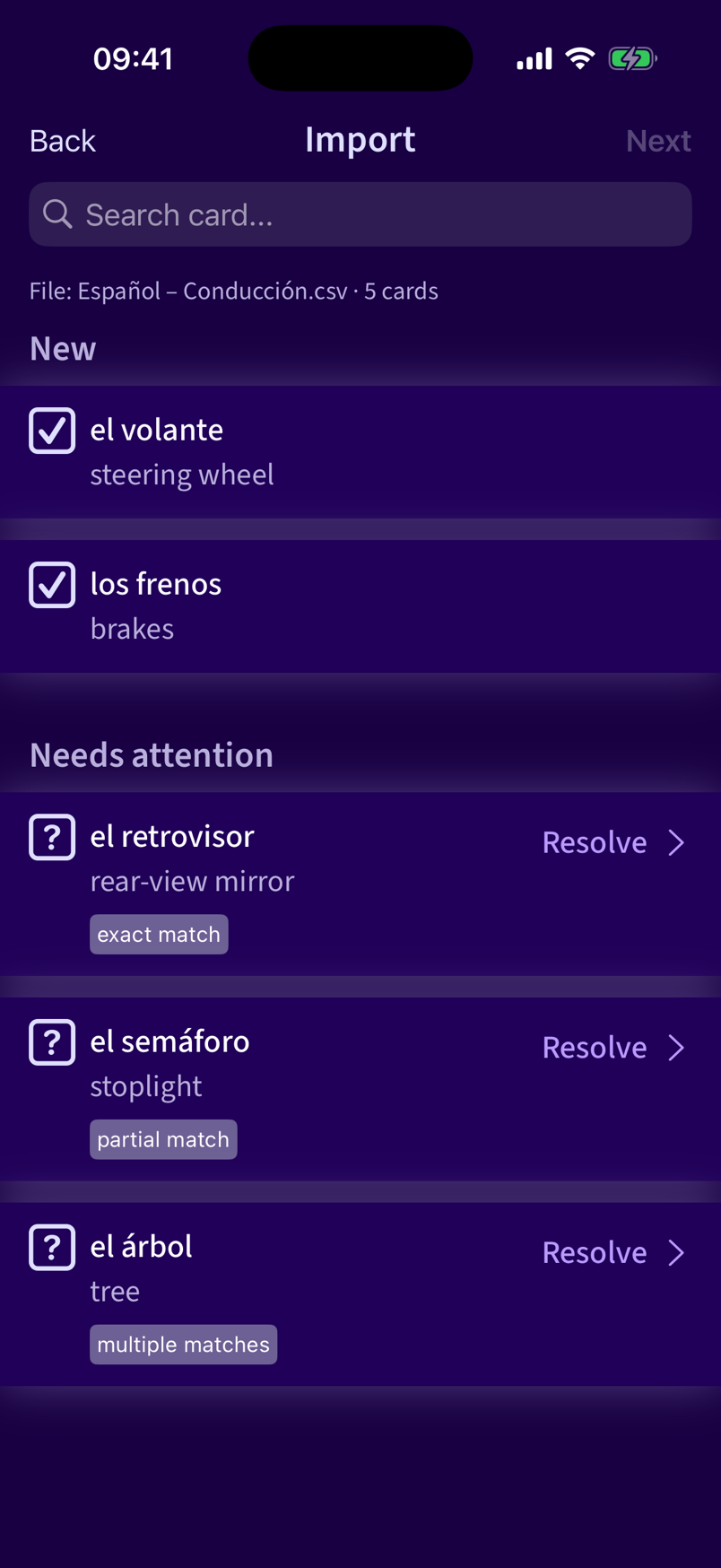
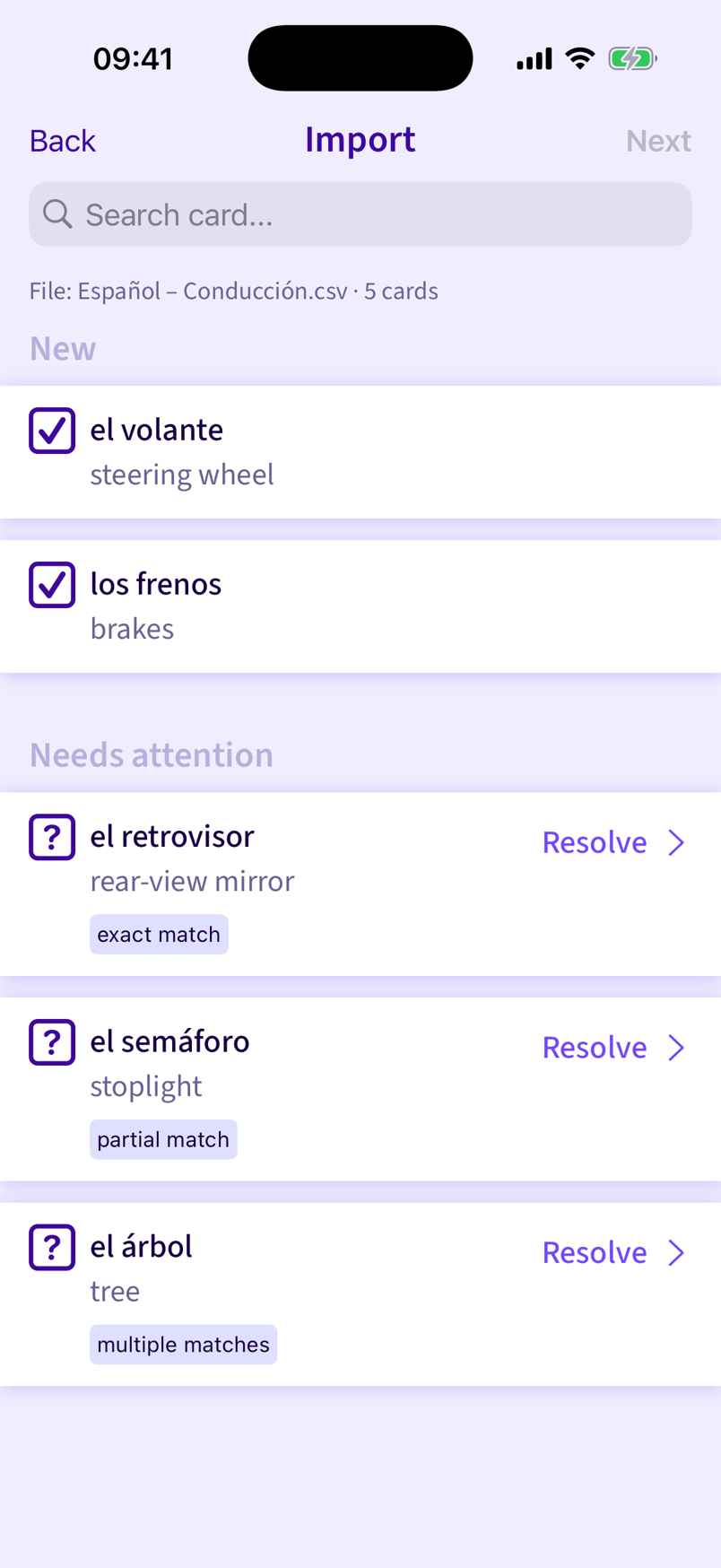
Smart CSV import
Drop in a two-column CSV file. Remembrall works out which column is the question and which is the answer, flags duplicates, and lets you merge or skip before anything's added.
03
Reads cards aloud
Built-in text-to-speech reads your cards to you — pick a voice and accent for each deck, in any language your device can speak.
04
Private iCloud sync
Cards sync across your devices through your own iCloud account. Remembrall has no server of its own and never sees your data.
05
Two moods, one app
Space is moody and dark; Lavender is bright and airy. Switch anytime from Settings.
06
Review, and move on
A calm review screen with one job: show you the next card at the right moment.
Themes
Same app, two moods.
Pick a mood from Settings and the whole app repaints — navigation, cards, empty states. Out of the box it follows your device's light or dark mode — Space when it's dark, Lavender when it's light. This is the same import screen, for real, in both.
 Remembrall